
In property development, having accurate, detailed information about a site - and the properties around it - can make or break a decision, particularly in those early stages of sourcing.
LandInsight's Property Information tool brings together key data points about individual properties in one place, giving you a fast, reliable foundation for feasibility checks, constraint identification and initial scoping.
What is the Property Information layer?
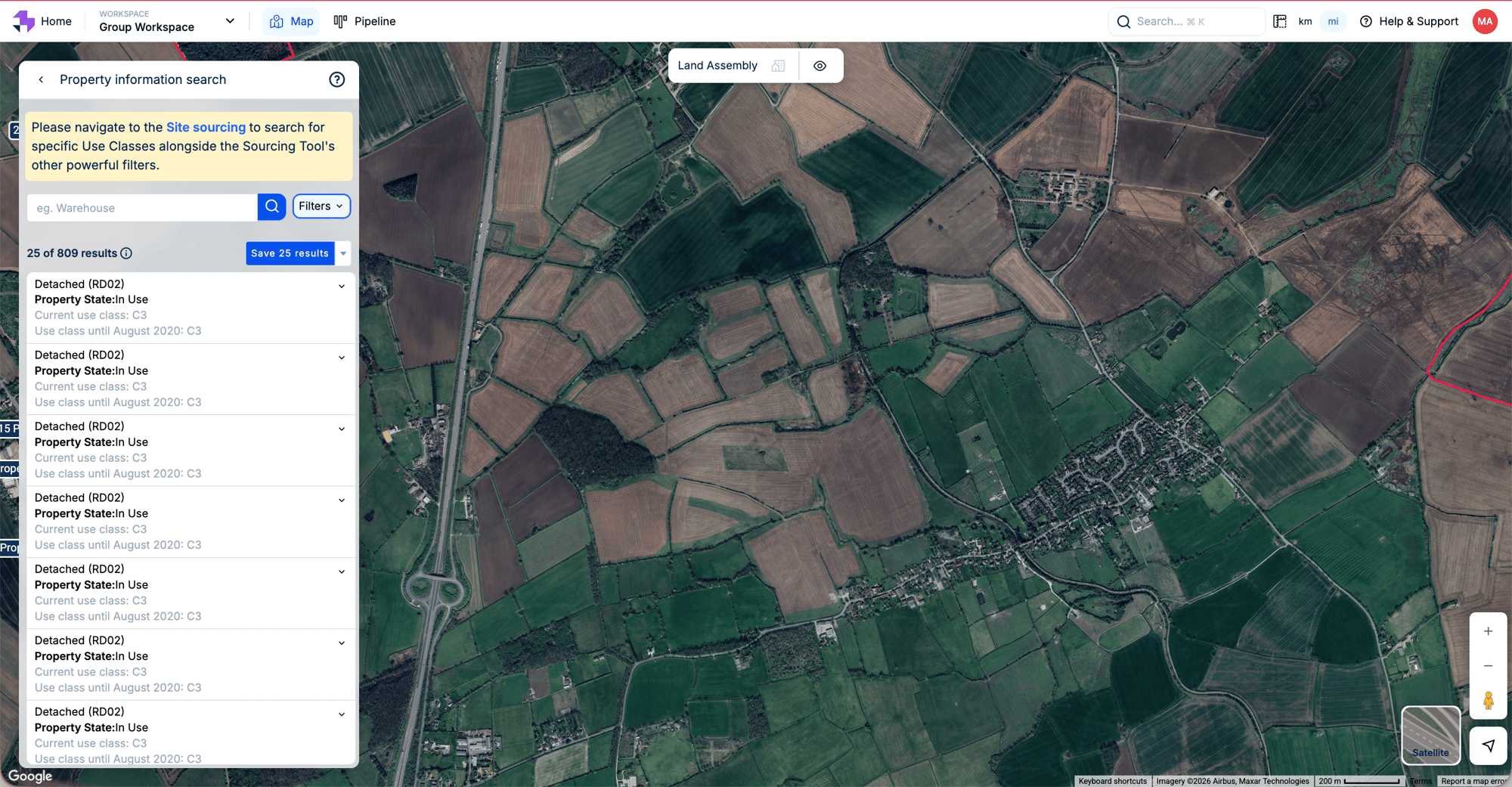
The Property Information tool lives within LandInsight's Explorer and is the home for planning search functionality within the platform. Rather than a traditional visual layer, it's a dedicated tool that lets you search and filter across property data to find sites that match your criteria.
Whether you're evaluating change of use potential, identifying vacant or derelict properties, or simply getting a clearer picture of what's on a site before you commit time to it, the Property Information tool gives you a structured way to search and interrogate that data.
What Data Is In the Property Information Layer?
The tool draws on several authoritative data sources:
- Use Class, Type of Property, and Status - sourced from OS AddressBase Plus, this covers the current use class, property type, VOA state of use, and occupancy status. Refreshed every 4–6 weeks.
- Building Dimensions - from OS MasterMap, giving you the size and footprint of buildings on or near a potential site.
- Listed Building Status - sourced from Historic England, Historic Environment Scotland, and Cadw in Wales, flagging whether a property carries listed status and the implications that brings for development.
Together, these data points give you a solid starting point for understanding what you're dealing with before you go any further.
Where Else Does the Property Information Data Appear in LandInsight?
The Property Information tool is where you go to search and filter, but the underlying data surfaces in several other places across the platform too.
-
In the Explorer (parcel clicks) Click on any parcel in the Explorer and you'll get an immediate snapshot: address, property type, use class, current state, building dimensions, nearby building heights, and any constraints that could affect the site. This is the quickest way to get a read on a specific property.
-
In the Site Sourcing tool The Sourcing tool lets you run a filtered search across the map using property data as one of your criteria - Use Class, parcel size, ownership type, tenure and more. If you're prospecting at scale, this is where property information data becomes a powerful search engine rather than just a reference point.
-
In the Site Assessor Once you've saved a site to your pipeline, the Site Assessor pulls together property information alongside planning history, constraints and other key data, giving you a more complete picture as you move from initial interest to proper due diligence.
Managing Your Sites
Whichever route you take to find a site, save it to your Sites Pipeline so you don't lose track of it. You can move sites through your own custom stages as they progress, keeping your whole team aligned on what's live, what's on hold, and what's been parked.
Here are our top 10 tips for getting the most out of your Sites Pipeline.
Ready to get started?
Whether you’re assessing the potential of a new site or planning the future of an existing property, the Property Information layer is an indispensable tool in your development arsenal. And the best part? There are even more layers to explore to help you get everything you need to turn off-market opportunities into successful projects.
Book a demo to see how LandInsight can help you streamline your site sourcing.